
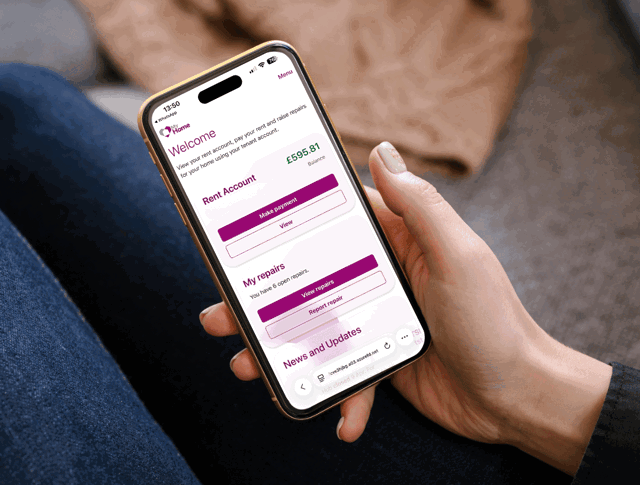
My Home is our online portal for tenants who live in one of our homes. You can use it to manage your account, pay your rent and book repairs.
Get help and support using your My Home account.
Jump to a topic
Creating and managing your account
Creating and managing your account
On our Midland Heart website, if you click on 'Sign in', then select sign in for My Home and click on 'No account? Create one', then you just follow the steps in setting up your account.
Yes, the old mobile app will be discontinued soon, so everyone will need to create a new account on My Home.
You can use the same email address and all the same details, but you’ll need to create a new password.
If you’re having trouble signing into My Home, you can give our Hub team a call on 0345 60 20 540 and we can help.
If you click onto the My Home online portal, enter your email address and click on 'Next', you'll then see an option for 'Forgot password'.
After you've clicked on this, it will then ask you to verify your identity by sending an email code to your email address or a text message to your mobile phone. Choose one option and then follow the steps to reset your password.
Your new password has to be a minimum of 8 characters long, including uppercase letters, lowercase letters, numbers or symbols.
If you’ve lost your phone and you’re unable to receive the verification code to log in, please give our Hub team a call on 0345 60 20 540 and we’ll be able to help.
On My Home, after you’ve signed in, click on ‘Settings’ and then ‘Delete account’.
Your username is linked to your sign-in account and can't be changed once your account has been created.
If you'd like to use a different email address, you'll need to create a new My Home account using that email address.
If your tenancy has ended, you can still sign into My Home and view your information that was previously available.
However, some features are only available to tenants with an active tenancy. This means you won't be able to:
-
Report a new repair
-
Make a payment
-
Access accounts and payment services
Payments and rent statements
If you go to the Midland Heart website, click on ‘Sign in’ at the top and then you can make a rent payment on your account online.
No, you can also pay your rent using other options such as:
-
Direct debit
-
PayPoint
-
Allpay
Once you've signed in to the portal, click on 'Menu', then 'Statements', then filter the date range you're after and finally click on 'Download PDF'.
Pending payment means your payment has left your bank and it's currently being processed by Midland Heart. Please allow up to 48 hours.
If your payment is still pending after 48 hours, give our Hub team a call on 0345 60 20 540.
Yes, after you've successfully completed your payment, you'll receive a confirmation email with the details.
When you go to make your rent payment on your account, you'll see an option for 'New card', select this and enter your new payment card details.
When you go to make your next rent payment, you'll see a trash can icon sitting on your payment card, if you select this, it will delete the chosen payment card from your account.
Repairs and maintenance
Yes, you can still access your history on My Home, up to 3 months.
If you're a homeowner or part of a Mutuals scheme, you're responsible for any repairs to your home.
If you're unable to book a repairs appointment and on your account, it says that your home is a new build, your details will automatically have been shared with our dedicated team who will contact you directly about your repair.
If you live somewhere with shared communal spaces like corridors, gardens or entrance halls, you'll then have the option available to book repairs for 'shared spaces' on your account.
If you've been asked to call the Hub, it's most likely because we need a bit more information from you, or you're trying to book an emergency repair.
If this is happening to you, please give us a call on 0345 60 20 540 so we can help.
If you've recently moved into your home, you may not be able to report repairs through My Home straight away. During the first few months of your tenancy, repairs are managed through a different process so we can give you the right support whilst you're settling into your new home.
If you need to report a repair, please give our Hub team a call on 0345 60 20 540.
Security and device troubleshooting
Give it a few seconds and if nothing is loading, please check your internet connection and make sure your browser is up to date.
Try refreshing the page and if you're still having problems, please give our Hub team a call on 0345 60 20 540.
Yes, we take the security of your personal information seriously. My Home uses secure technology to help protect your data and keep your account safe.
We regularly review our security measures and only allow access to information that is relevant to your account.
Yes, the two-step verification is in place to help keep your account safe. It adds an extra layer of protection by asking you to confirm your identity when signing in.
Watch our step-by-step videos
How to sign up to My Home
How to pay your rent
How to report a repair
How to cancel or change a repair
📩 If you don't see an answer to the problem you're experiencing, please send us an email to contact@midlandheart.org.uk or you can give our Hub team a call on 0345 60 20 540.